

Role: Lead Designer
Focus: Workflow design, Design systems, Accessibility
Work / Public Health Data Platform
Overview
I led UX and UI design for a public health platform that helped local agencies and caregivers manage programs, track data, and report outcomes. No tool like this had existed for these teams before. The work was about bringing structure and clarity to an environment where the workflows were genuinely complex, the users were stretched thin, and getting things right actually mattered.
Context and Goals
Before this platform, there was no connected view of patient information across systems. Coordination between healthcare providers was slow and error-prone, and reporting required significant manual effort. The goal was to pull all of that into one accessible, usable platform, simplifying high-friction workflows, improving data accuracy, and creating a design language that held up under both compliance requirements and real-world use.
I was the sole designer on the project. Every design decision, from early research through final UI, was mine to make and defend.
Research and Discovery
The discovery phase was equal parts research and relationship building. I worked with program managers, analysts, and field staff to understand how they actually used existing systems and where things fell apart. Through interviews and workflow mapping, we identified the real problems: inconsistent form layouts, unclear labeling, and task flows that just didn’t work. Those findings shaped the early wireframes and gave the team something concrete to align around.
Design Approach
I moved from low-fidelity wireframes through interactive prototypes to final designs, with one guiding principle throughout: clarity. Fewer steps, clean layouts, a predictable rhythm from screen to screen. Each iteration was reviewed with end users and developers to make sure what worked in design would actually translate to code. Jira kept everyone aligned and gave us a way to work through implementation details without losing track of decisions along the way.
Design System
Before any screens were designed, I built the design system. Patterns, components, accessibility standards, color tokens, and Figma documentation — all of it established upfront so that every design decision that followed had a consistent foundation to build on.
That early investment paid off throughout the project. Engineers could pull components and move forward without stopping to ask how something should look or behave. The decisions were already made and documented, which removed a whole layer of back-and-forth from the build process and let the team move with confidence from the start.
Accessibility
Accessibility was built in from the start. Every component was validated for color contrast and keyboard navigation, and all form fields followed 508-compliant patterns. We tested with assistive technologies early, not to check a box, but to make sure the experience actually held up for the people using it. The platform passed its accessibility audit on the first review cycle.
Testing and Iteration
I ran usability reviews and scenario-based walkthroughs with partner agencies. Watching people interact with real workflows surfaced things that wouldn’t have shown up any other way: spacing issues, grouping that felt off, feedback that was missing at exactly the wrong moment. Each release cycle got smoother because the whole team understood the reasoning behind design decisions, not just the outcomes.
Outcome
The platform brought together information that had previously been scattered across disconnected systems. For the first time, public health organizations and caregivers could see complete patient histories and program data in one place.
The design system gave developers a shared framework from day one, which eliminated ambiguity and kept implementation moving. The accessibility work paid off when the platform passed its compliance audit on the first attempt, a result of treating accessibility as part of the design process rather than something to fix at the end.
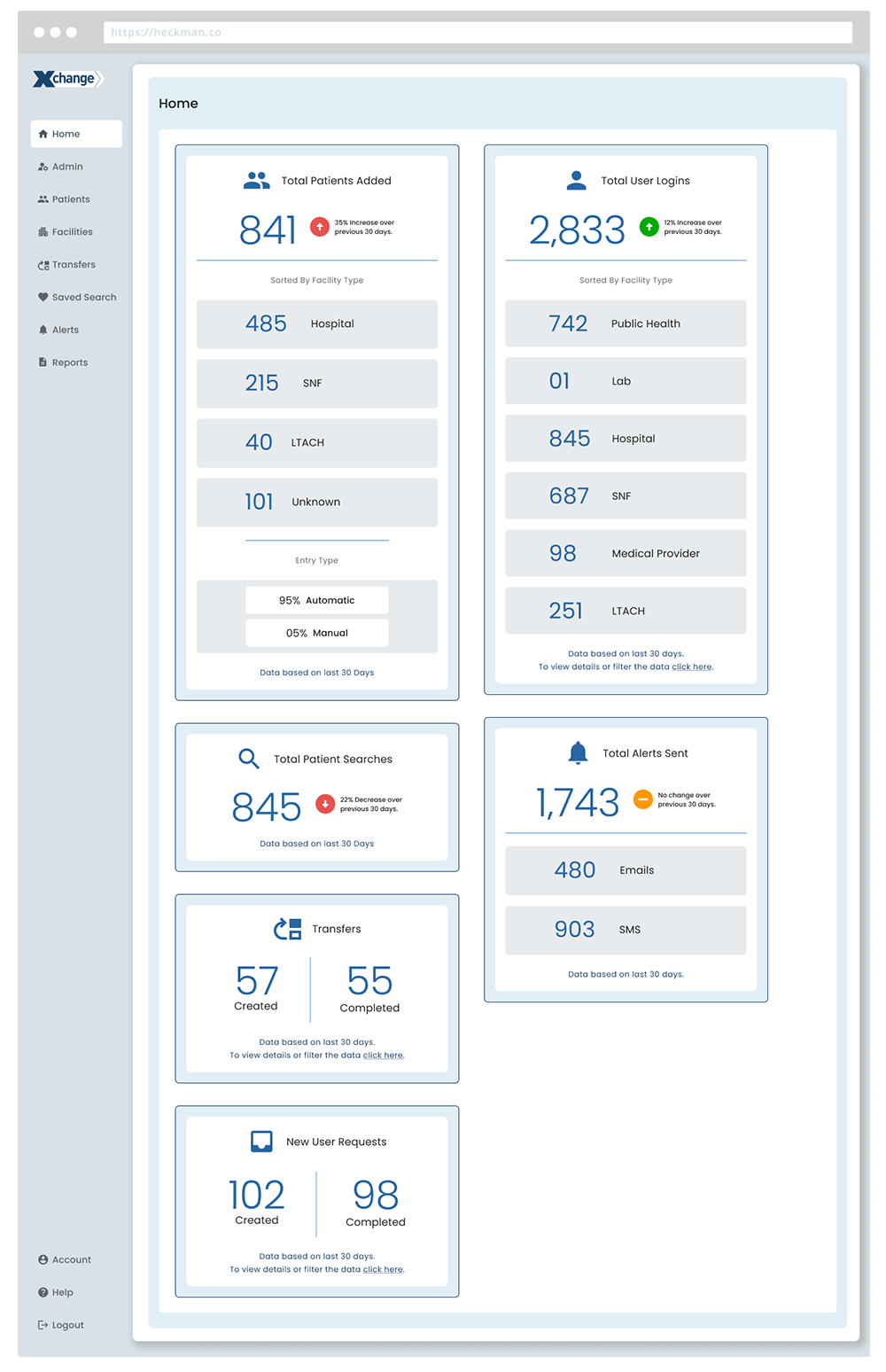
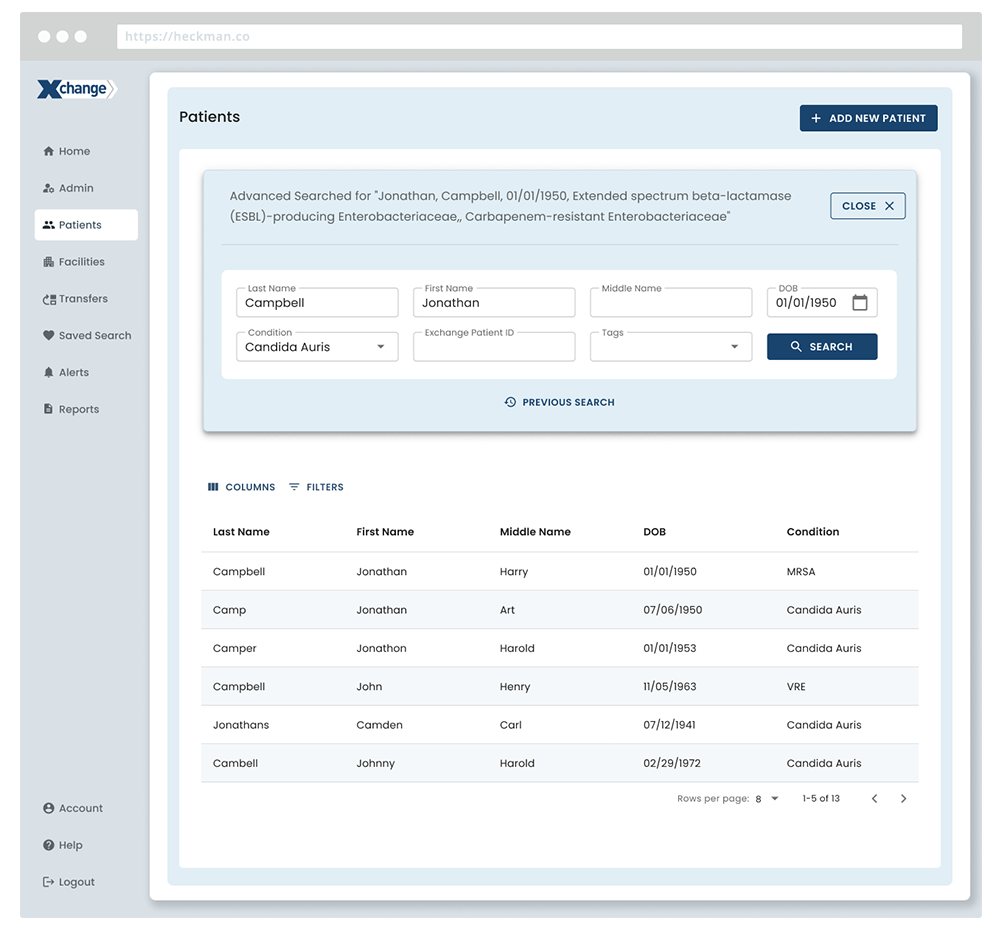
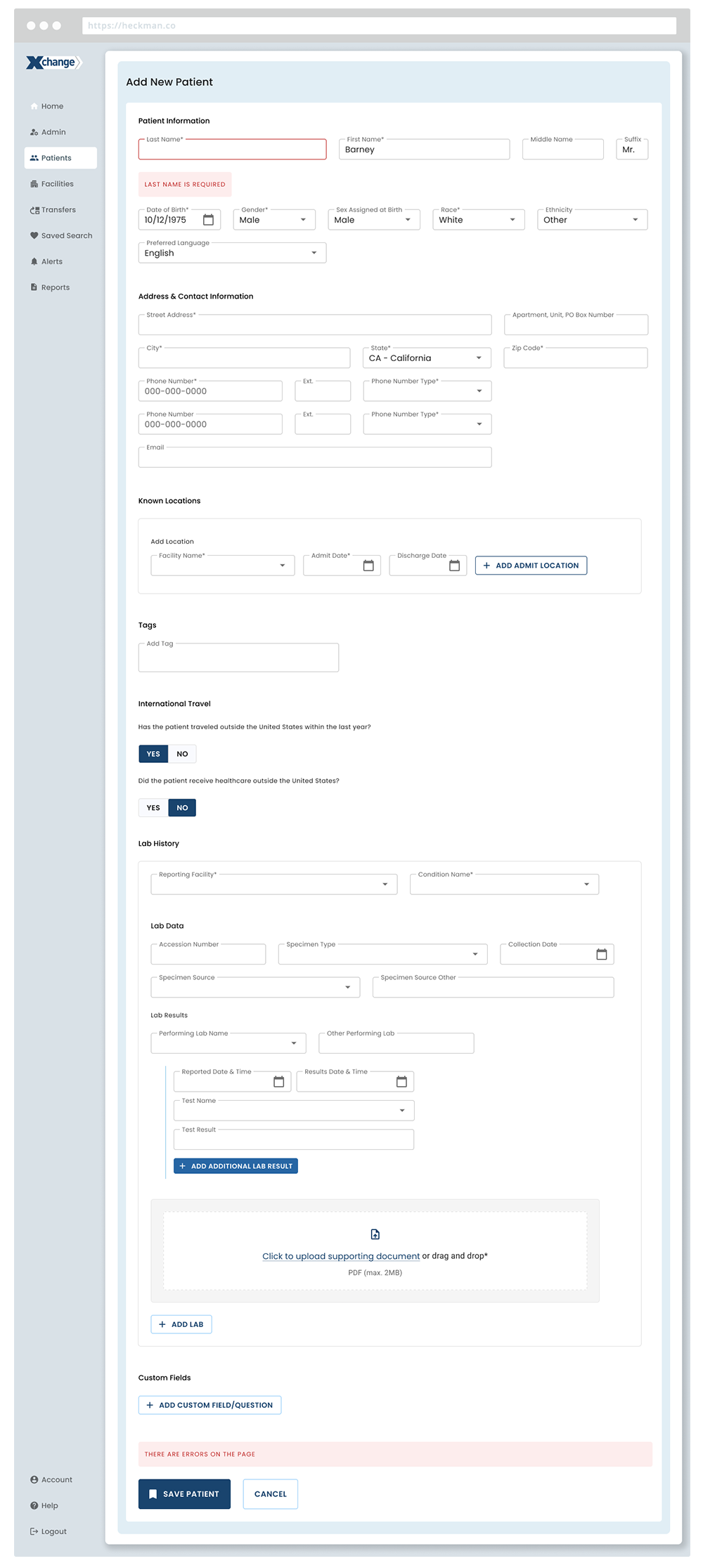
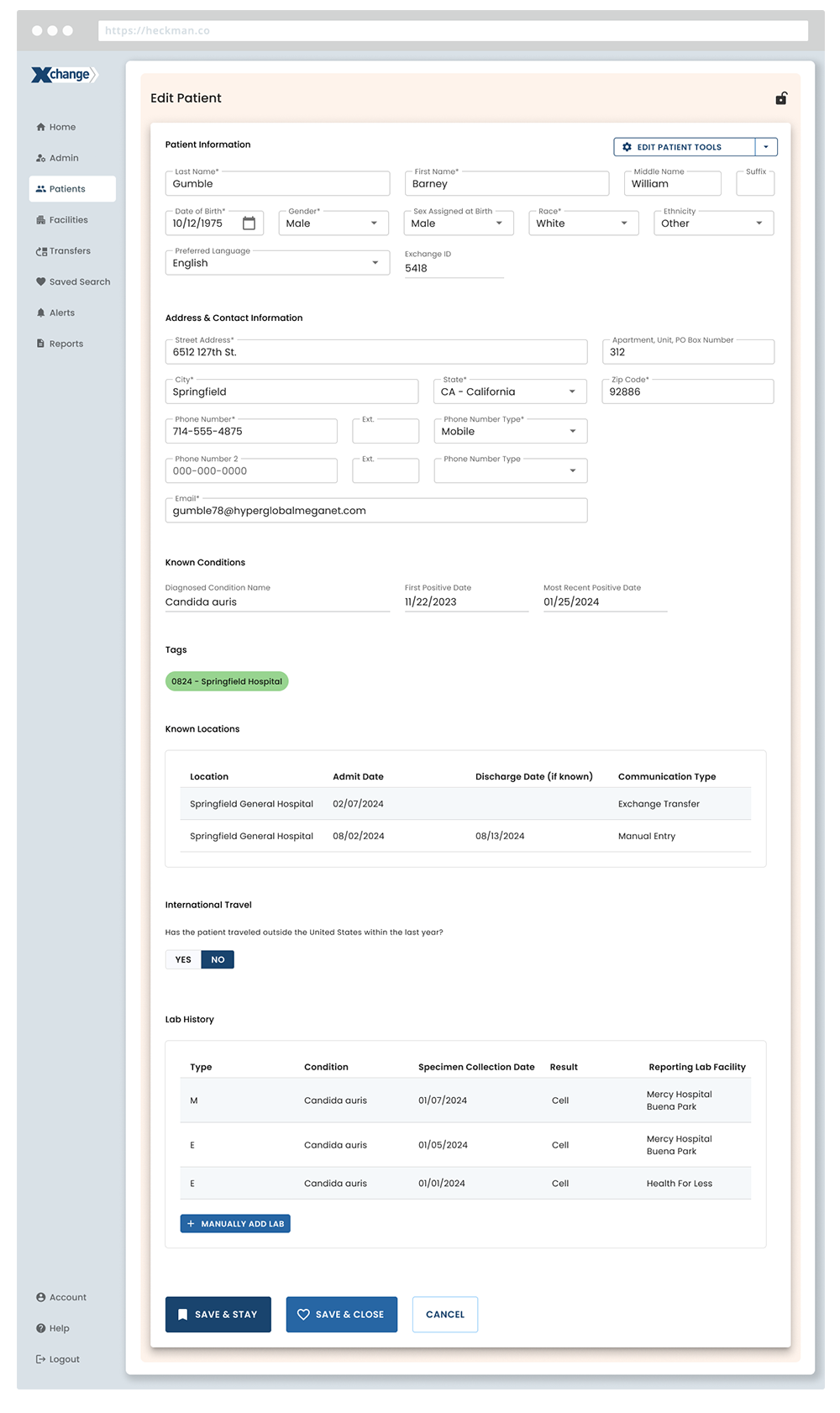
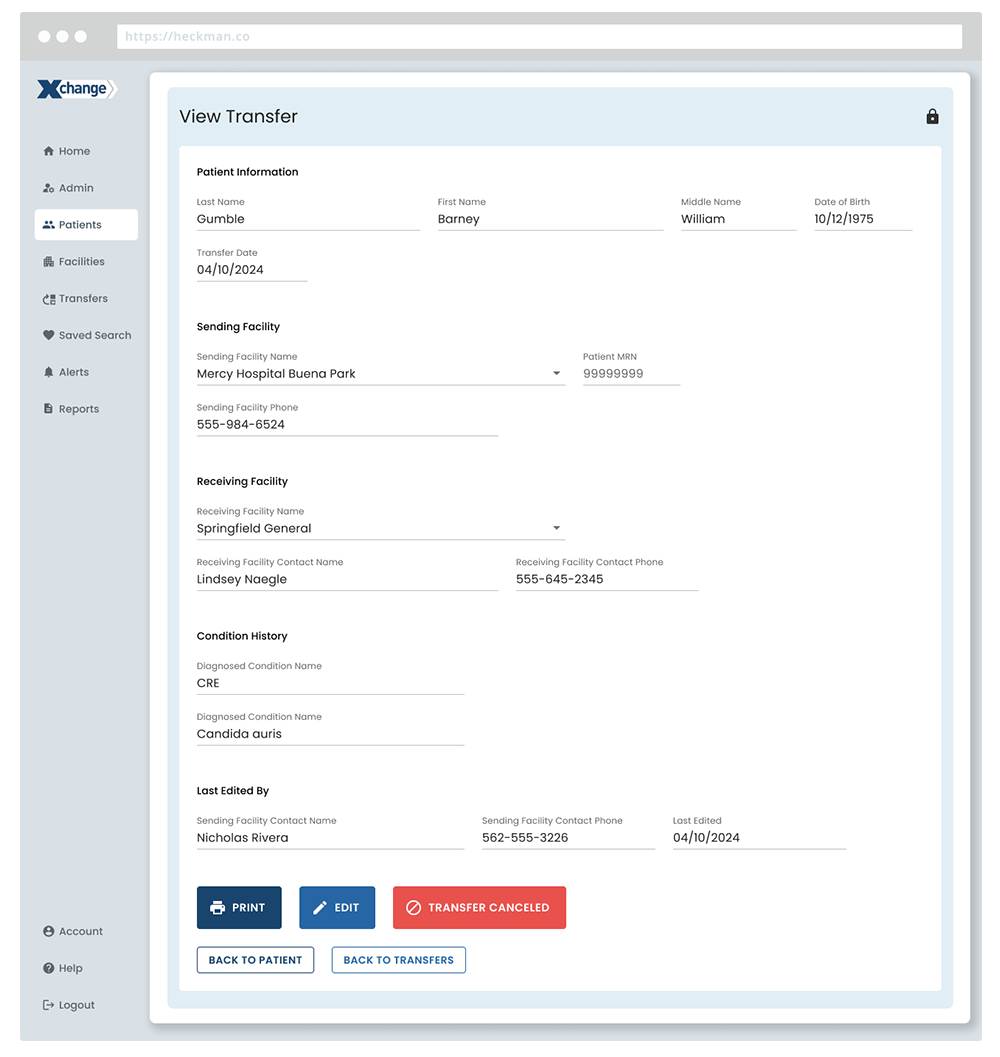
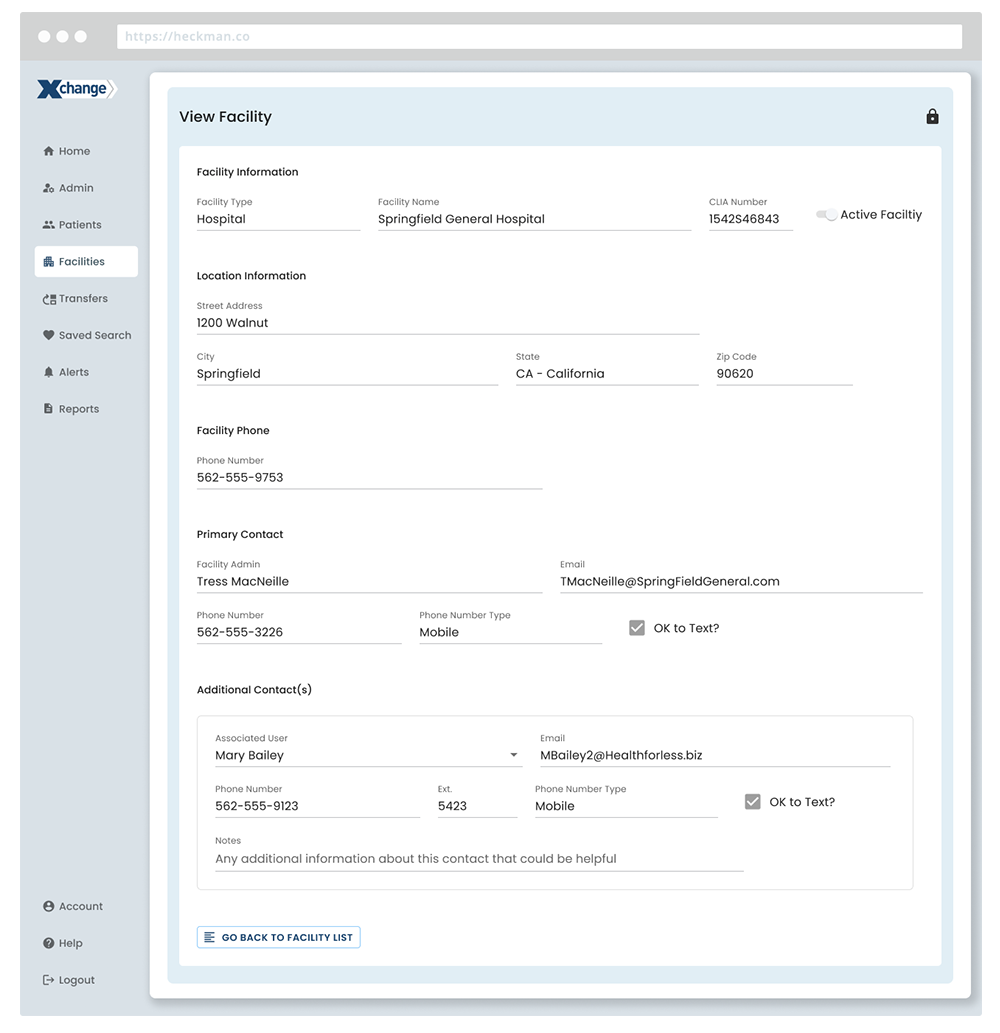
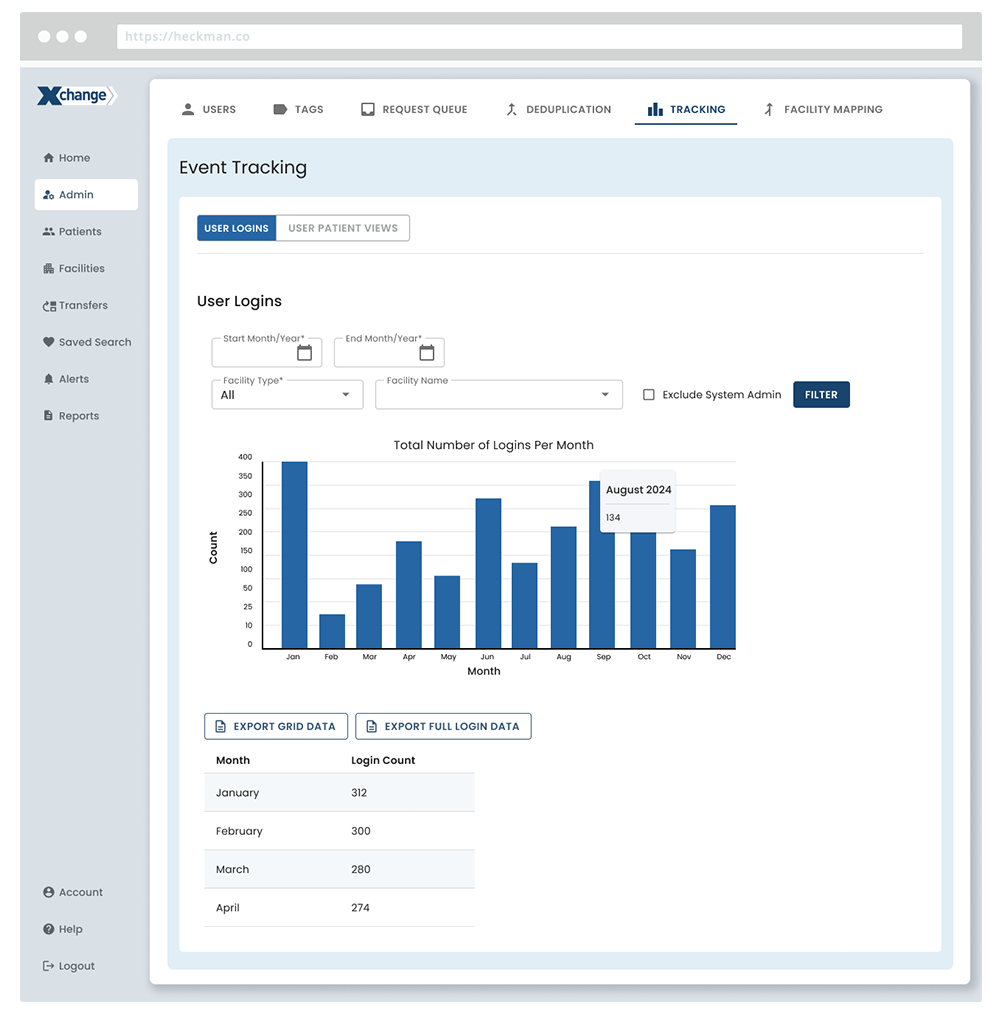
Due to confidentiality, visuals have been modified to remove proprietary data, original colors, and client identifiers.